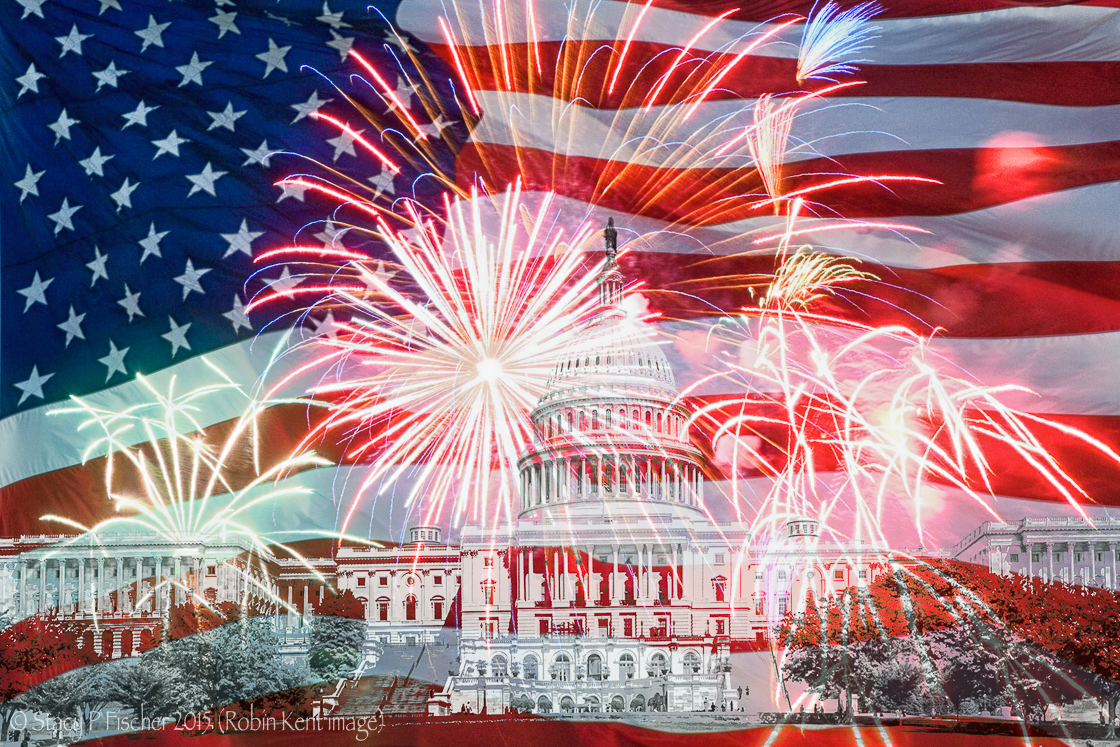
I love this compilation, Stacy. Are you sure you didn’t change the image to a B&W in LR before you brought it over? A mask wouldn’t have created that effect. Or, I think maybe when you were in FX on the layer in PS you made some adjustments that changed it to B&W on that layer only. I was PS playing around with two images to see if I could replicate what you might have done. Check to see if you used Luminosity on FX. This may have been what was done.??
Thanks for the input, Karen! Nope, I didn’t change it over but that would have been a brilliant idea!! 😀 As for the rest of what you’re suggesting, I wish I had saved my layers to see what I had done, but I do believe with all the back and forth I did, I ended up not being able to “save” the file back into LR without first flattening the image. So that’s what I did (and I don’t know why that happened either). Anyway, I’m going to play around with your ideas and see. I’ll let you know 🙂
Sometimes if I’ve done a lot of layers I will save the layers in a file and then save as with another name so I can flatten. That is, if I remember first!
I think you can just do a file save as newname.jpg or png while in Photoshop. Then go back to your original file and import that one into LR to finish-off.

 Visual Venturing
I love this compilation, Stacy. Are you sure you didn’t change the image to a B&W in LR before you brought it over? A mask wouldn’t have created that effect. Or, I think maybe when you were in FX on the layer in PS you made some adjustments that changed it to B&W on that layer only. I was PS playing around with two images to see if I could replicate what you might have done. Check to see if you used Luminosity on FX. This may have been what was done.??
LikeLike
Thanks for the input, Karen! Nope, I didn’t change it over but that would have been a brilliant idea!! 😀 As for the rest of what you’re suggesting, I wish I had saved my layers to see what I had done, but I do believe with all the back and forth I did, I ended up not being able to “save” the file back into LR without first flattening the image. So that’s what I did (and I don’t know why that happened either). Anyway, I’m going to play around with your ideas and see. I’ll let you know 🙂
LikeLike
Sometimes if I’ve done a lot of layers I will save the layers in a file and then save as with another name so I can flatten. That is, if I remember first!
LikeLike
Not sure how to save layers In a file. I’m sure it’s in the menu (that I haven’t really explored!)
LikeLike
I think you can just do a file save as newname.jpg or png while in Photoshop. Then go back to your original file and import that one into LR to finish-off.
LikeLike
👍🏻 Thanks for that!
LikeLike