
 Highlighting the creative magic behind post-processed photos
Welcome to ABFriday’s monthly One Photo Focus! This month, 27 photographers are sharing their post-processing interpretations of one “before” image submitted by Robin Kent of PhotographybyKent. From patriotic to apocalyptic (and everything in between), this month’s group certainly had a lot of fun with Robin’s image of the United States Capitol in Washington, D.C.!
We begin with Robin’s “before” image, followed by the “afters,” and at the end, a gallery of all so you can watch the changes as you scroll through. Be sure to click the links to each participant’s blog as many have written posts “uncovering the magic” behind their “after” images. And if you would like to participate in August’s One Photo Focus and/or ABFriday in general, you’ll find all the details on the After-Before Friday Forum page. We’d love to have you join the party!
BEFORE PHOTO

Submitted by Robin Kent — PhotographybyKent
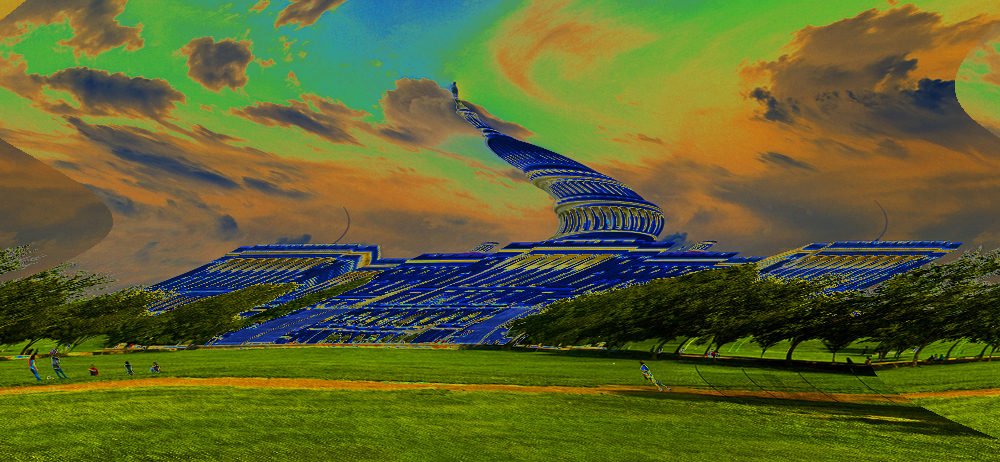
Robin says: I dipped into the filter options available in Photoshop and found some interesting new ways to distort reality.
Submitted by Stacy Fischer — Visual Venturing
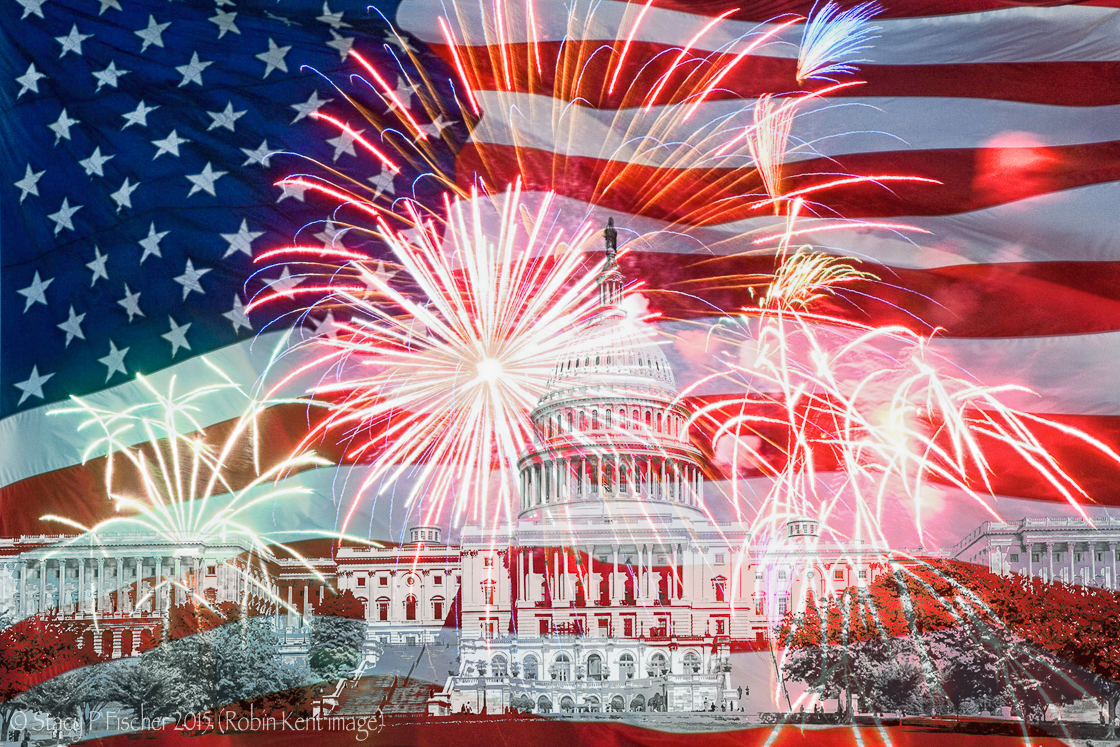
Admission: There is only a partial video for my image. Why? Because I tried out new techniques in Photoshop and went back and forth and up and down, with frequent trips sideways, to get to my final result … and I didn’t write anything down. When I went back into Photoshop to try and recreate what I had done in preparation for making the video, I couldn’t do it. So much for learning something new.
What I can tell you is that I imported into Photoshop Robin’s image and the flag and firework background. I used the quick selection tool to select the Capitol in Robin’s image. When I was happy with my selection, I hit copy, switched to the flag picture, and hit paste, creating a second layer. From there, I increased the size of the Capitol until I was happy with how it looked on the background. But for the life of me, I can’t remember how I made the Capitol black and white. I do remember adjusting color sliders though, so maybe it was through a hue/saturation layer. For all you Photoshop gurus out there, please tell me how I can add an adjustment layer to a selection. I’m driving myself crazy. But herein lies the beauty of this forum. Help is always given and learning progresses.
I actually was going to skip the video this time around, but then I figured I could at least show you how I accomplished the compositing of the two images (after I made the video, I double-checked to make sure that’s what this technique is called). How I did it is at a very basic level, but, hey, we all start somewhere 🙂 I also decided to try out WordPress’s VideoPress function, which they have just upgraded. So for those of you who watch, let me know if you have any issues.
In the end, I do hope you enjoy my 4th of July interpretation of Robin’s image. Given that the West lawn of the White House (depicted here) is the site of the annual D.C. 4th of July concert that ends with a huge fireworks display, this seemed like a fitting treatment! Thanks, Robin, for such a great and timely image!
Submitted by Karen Chengelis — KCinAZ

Karen says: Thanks, Robin for another challenging shot. I enjoyed taking my twist at it but did stick with traditional editing. You can read about my editing at http://wp.me/p2pU8K-Ra.
Submitted by Laura Macky — Laura Macky Photography
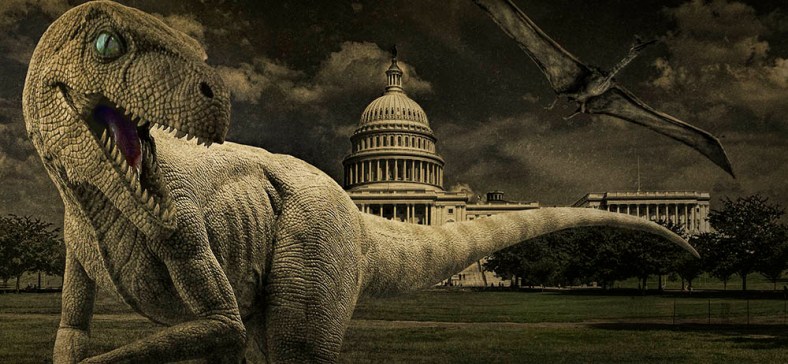
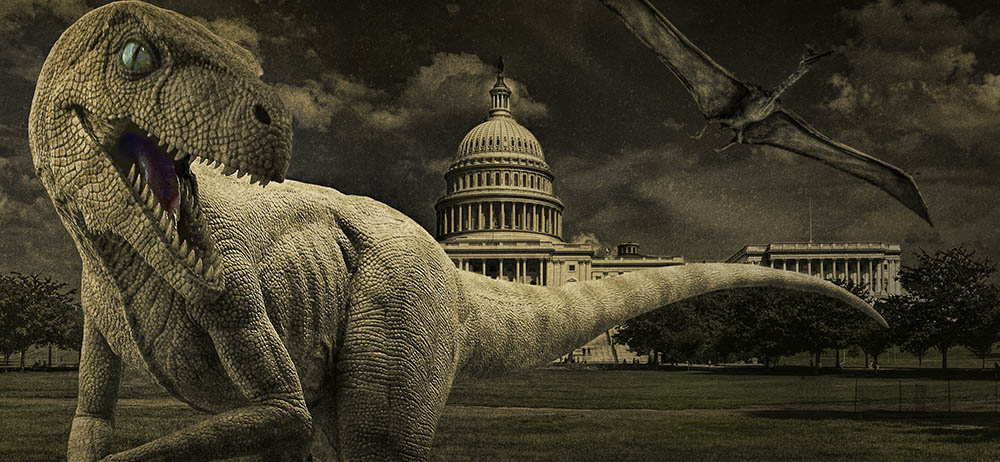
Laura says: My recent movie outing to Jurassic World inspired it, lol!
Submitted by Cee Neuner — Cee’s Photography


Cee says: I really like the wide scope to the Capitol Building because it stands so grand in all its glory and the photo is extremely well balanced. However, since I like much closer up photos, I decided to do a major crop on the capitol building and then decided to turn it into a dramatic black and white photo.
Submitted by Julie Powell — Photographic Jewells
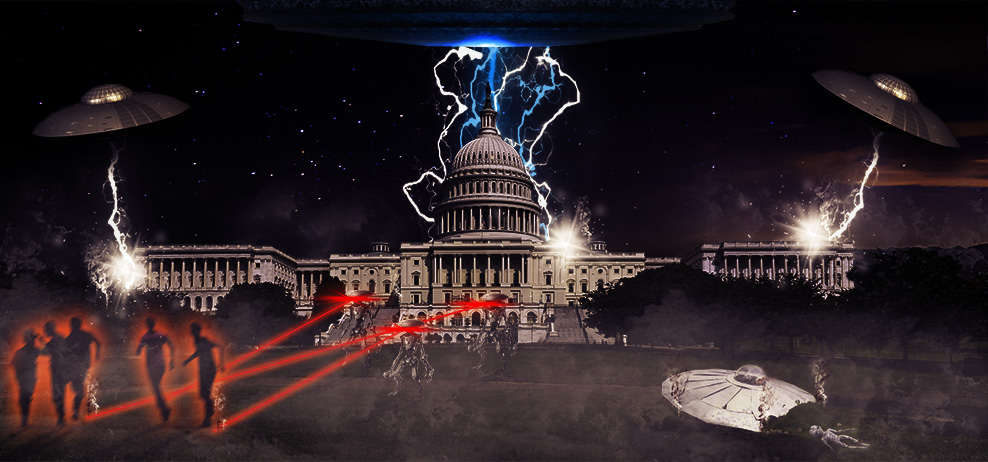
Submitted by Kirsten Aufhammer — IKA Photography
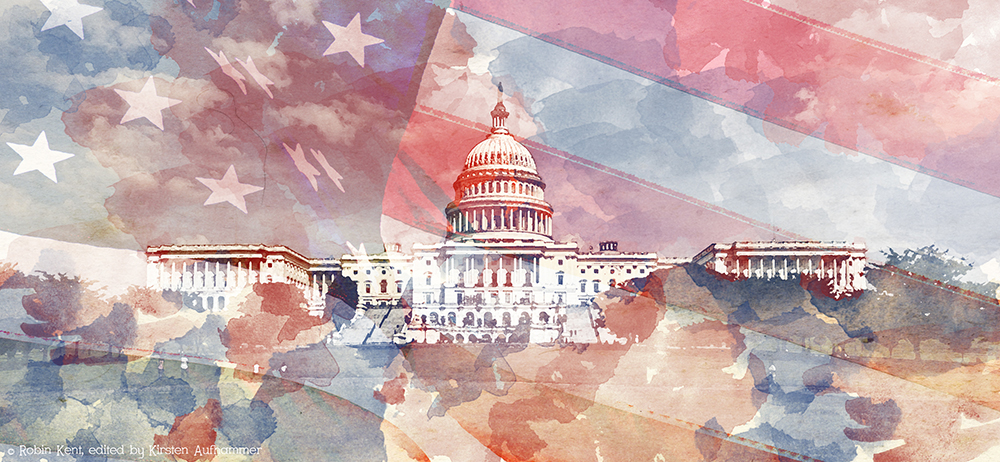
Kirsten says: Since, it is July 4th weekend I decided to edit Robin Kent’s wonderful photo with a patriotic theme in mind. I wanted to try something outside of my comfort zone, so I went with a watercolor painting technique I learned in my Photoshop Artistry Class.
Submitted by Helen Chen — HHC Blog
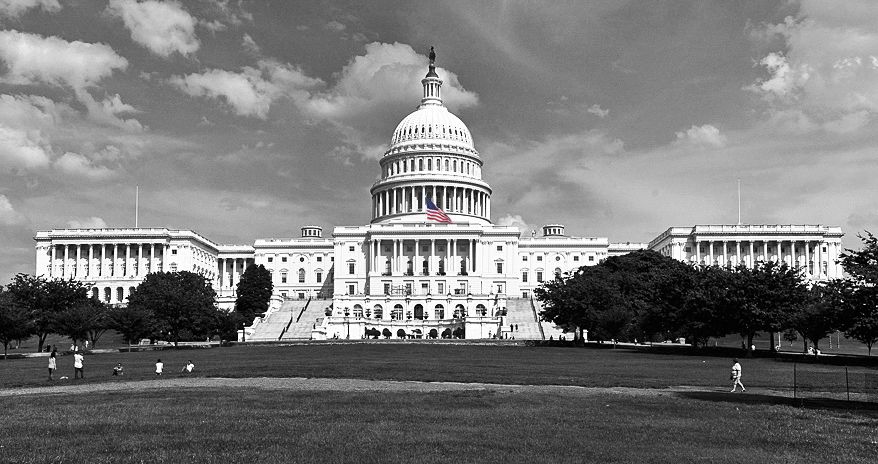
Helen says: I did the normal thing like cropping, sharpening… etc. I then converted it to black and white, and since I didn’t miss the color, I decided to keep it as black and white. Later, feeling like to celebrate 4th of July, I found a bigger flag to add it into the photo.
Submitted by Stacey/Lensaddiction — Learning to See Light

Stacey says: Lensaddiction (the Other Stacey) had fun adding in iconic American images to Robin’s fabulous photo of the White House, to create a quintessential snapshot of the US from an outsiders POV.
Submitted by Emilio Pasquale — Photos by Emilio
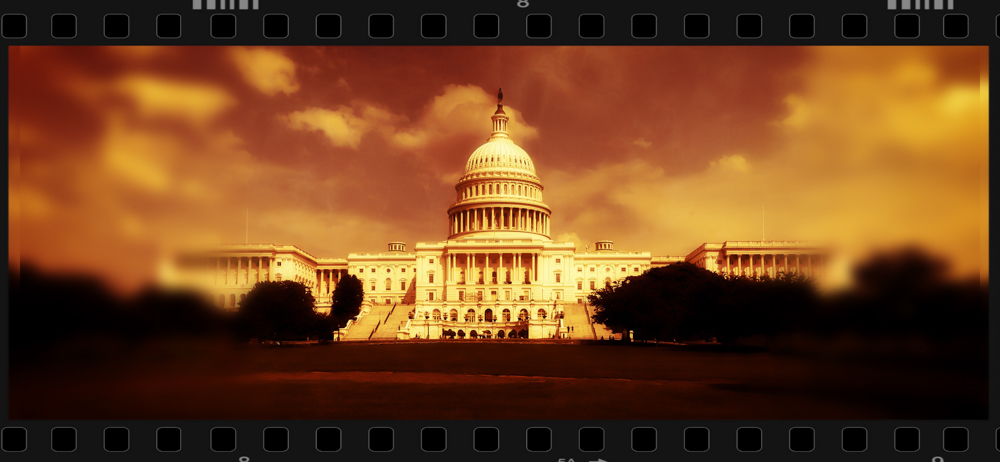
Submitted by Max 510 — Max510’s Blog

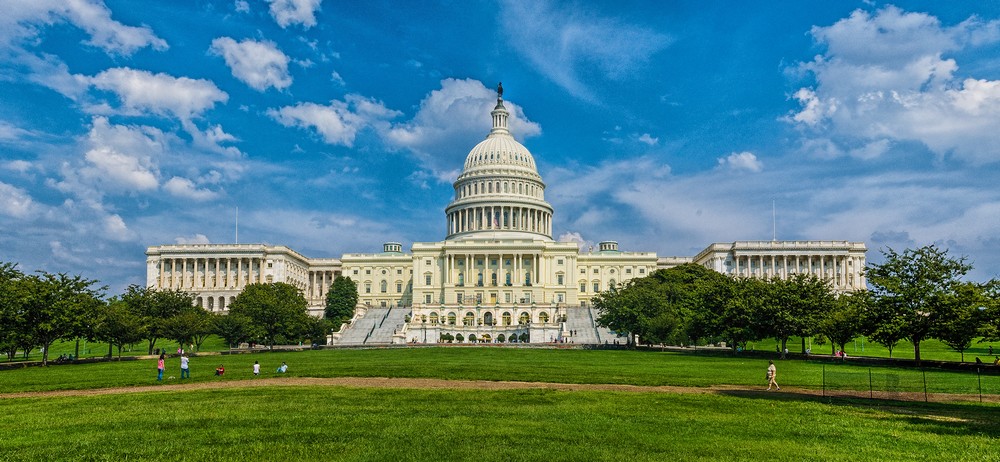
Submitted by desleyjane — Musings of a Frequent Flying Scientist


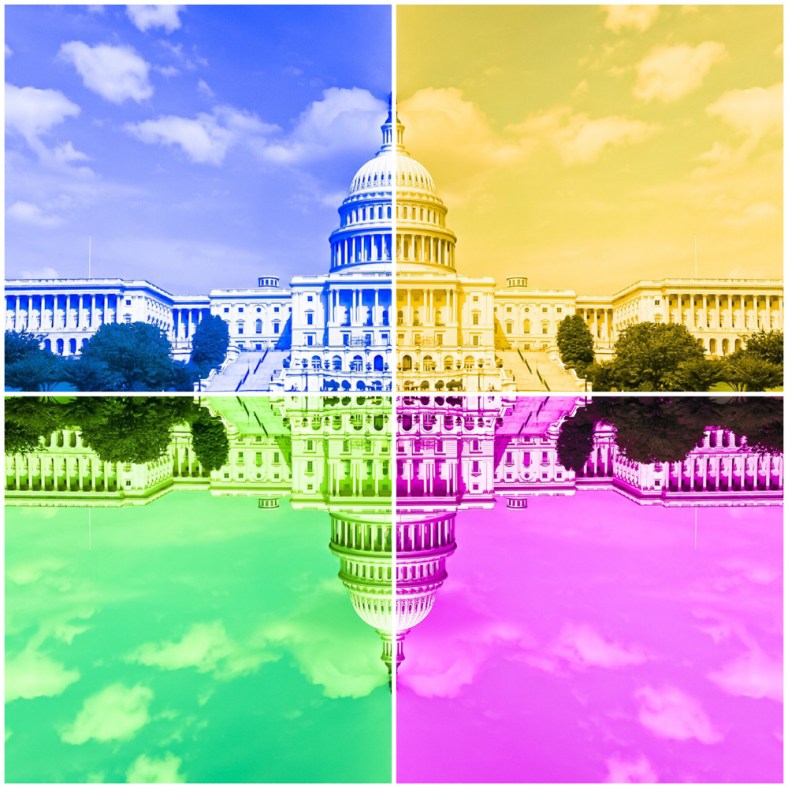

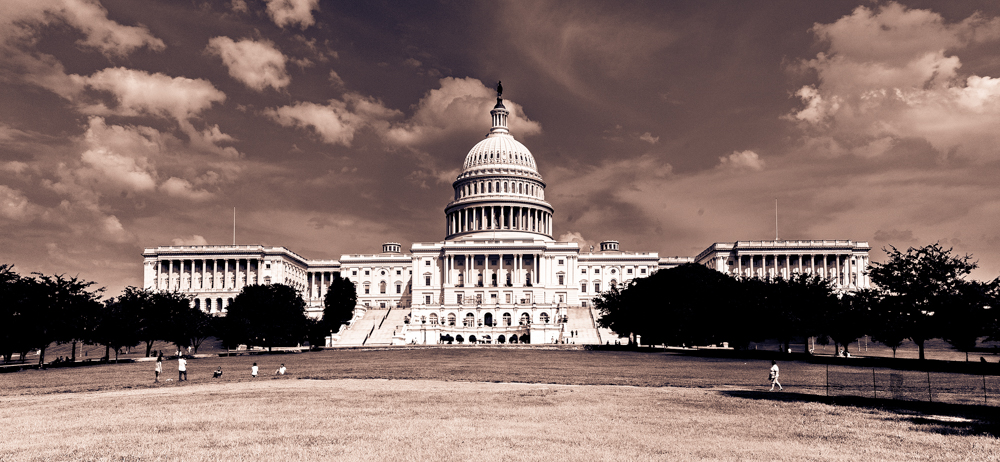
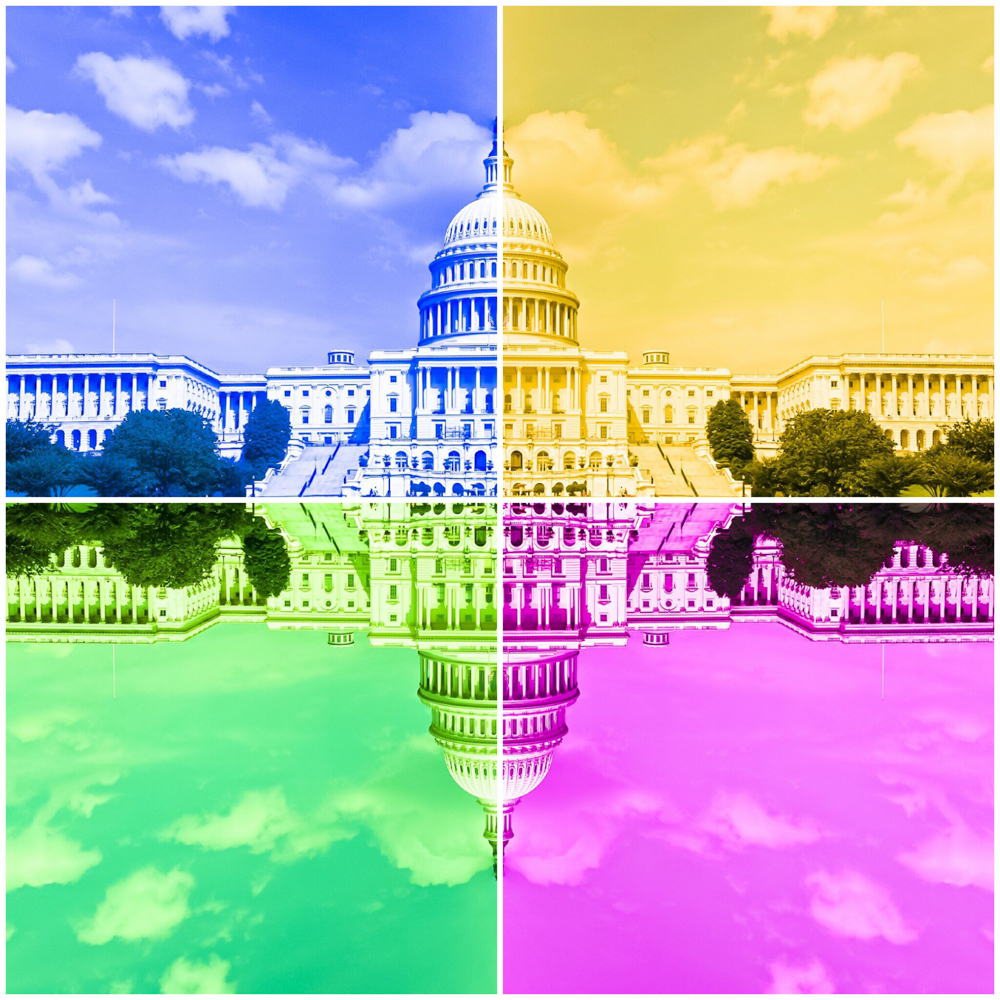
Desley says: This month, I’ve gone with three editing variations: natural, atmospheric monochrome and a fun&funky one. Thanks to Robin and Stacy, this was good fun!
Submitted by Raewyn — decocraftsdigicrafts
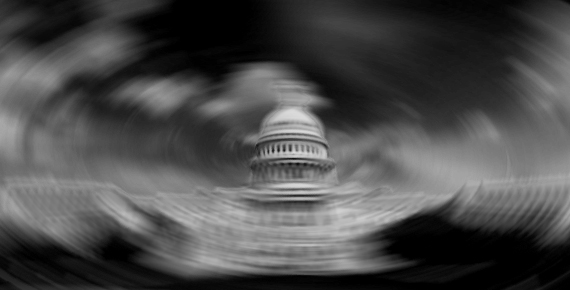
Raewyn says: I just played around with Camera Raw and some of the filters in Photoshop.
Submitted by Chris — sv-takeiteasy

Chris says: Reading about the US Capitol, the age of this imposing building and the passage of time were the aspects I wanted to emphasise in my edit.
Submitted by Katie Prior — Drawing with Light
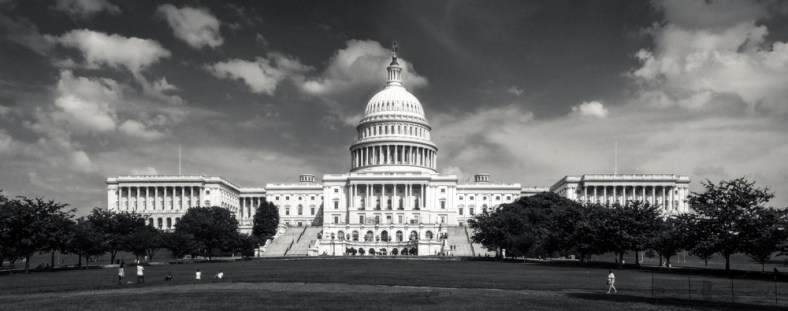
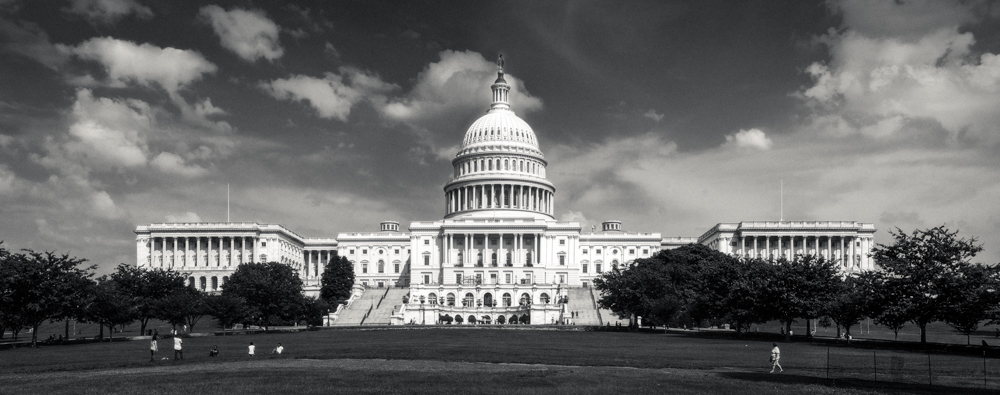
Katie says: I knew when I saw Robin’s wonderful image of the US Capitol that I wanted to turn it black and white, click here to see how I did it!
Submitted by Amy — The World Is a Book

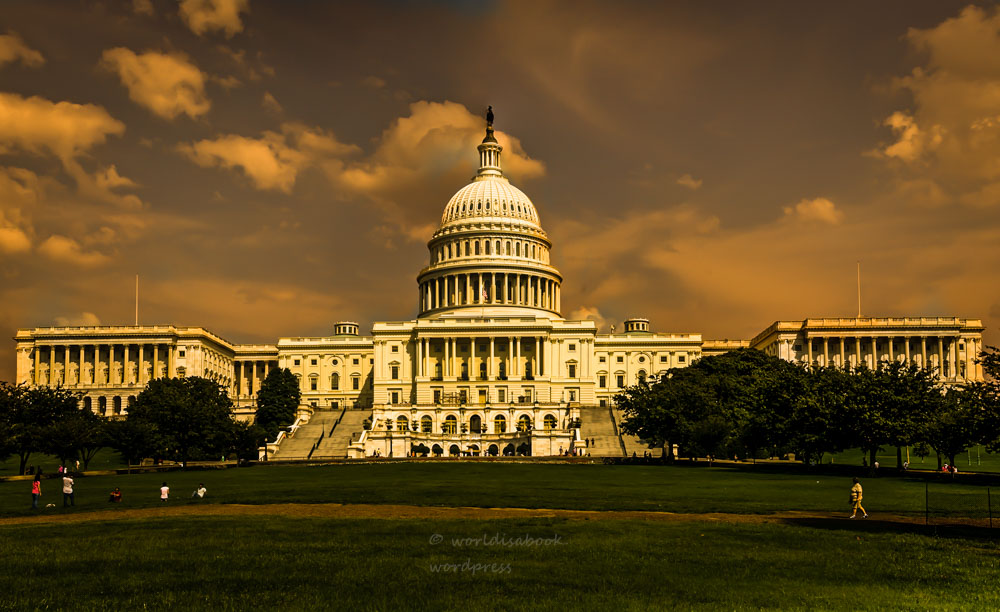
Submitted by Klara — Sliku svoju ljubim II
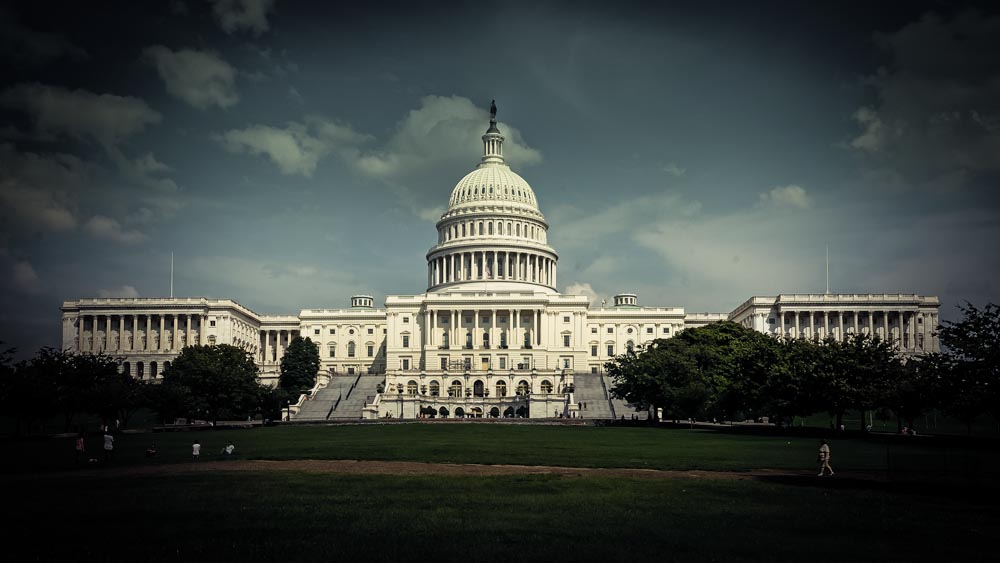
Submitted by Joanne Ritchie — Coffee Fuels My Photography!

Joanne says: On seeing this iconic image I was reminded what this represented to so many and for how long it has been a part of history books, something I wanted to highlight with my editing.
Submitted by Nic Anderson — Photography by Nic

Submitted by Nancy Merrill – nancy merrill photography

Nancy says: This month, I wanted to try out some of the fun bells and whistles that come with Photoshop. For this image, I used a Fine Are Gallery setting, preset sepia toning, and an interesting brush to clear away the center of the gradient mask. Thanks, Robin, for a fun image to play with!
Submitted by Benjamin Rowe — Aperture64

Submitted by Michelle Lunato — Michelle Lunato Photography


Michelle says: Since my schedule seems to never at a point of calming down, I decided to go with whatever edits I could come up with in my 15 minutes before leaving for work. Here is what I got from my no-time-to-second-guess moments…
Submitted by Jaime Perez — My Photolanguage

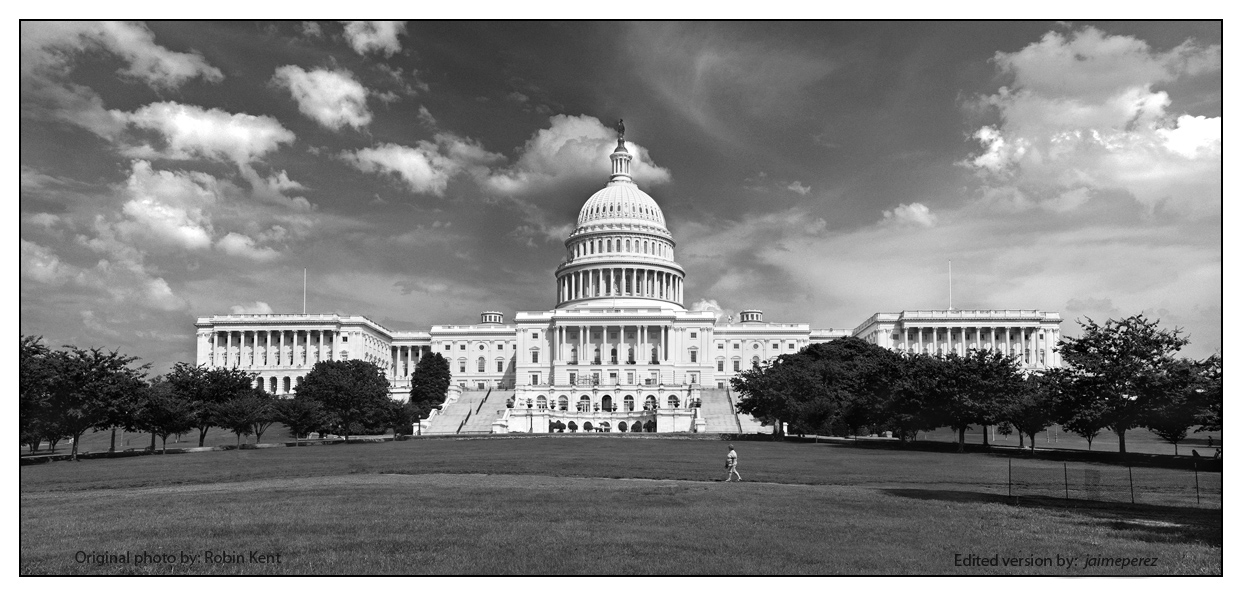
Jaime says: This time, we have a splendorous panoramic shot from Robin, as he use to (congrats Robin, I really like it!). I hope he (and all of you) have no problem with the alteration I tried, but if I would have been in Robin’s shoes, this is the image I would have liked to get. I’m looking forward to seeing other’s versions!
Submitted by Nancy / dogear6— Living the Seasons

Nancy says: Thanks to Stacy and Robin for another month of ABFriday! While other months had tough technical challenges to the photos, this month was hard because the photo was so nearly perfect already. What do you do with that?
I started with some minor adjustments in Lightroom, mostly to improve the white balance and take the yellow cast off the building. Since I don’t know this scene, I assumed the building was mostly white but it could be yellowish! I cloned out some of the foreground people so that when I started playing with the picture, they didn’t interfere with the appearance. That one is always a tough call; sometimes I think pictures look nicer without people and other times a scene looks too sterile. I also moved the bottom up slightly to hide the fence at the right.
I improved the picture some more with Topaz Adjust HDR Dynamic Pop, at which point I realized the sky had a fair amount of noise. I used Topaz DeNoise Raw Strong to remove that. At this point, I put a border around it to finalize it.
However – and there’s always a however for me – what I wanted was to convert it to a pen and ink drawing. That so did not work, mostly because of the sky. I’m not sure if using DeNoise was the reason, but while the buildings looked great, the sky looked weird.
In the course of playing with it though, I liked the looks of Topaz Impressions Watercolor 4. It removed detail from the building, but I liked the ethereal effect it gave. I used onOne for a torn paper border and that turned out to be my favorite.
For more information and to see what didn’t work, visit my blog at http://wp.me/pow9k-2rt.
Submitted by Marsha Leith — CoolQuilting
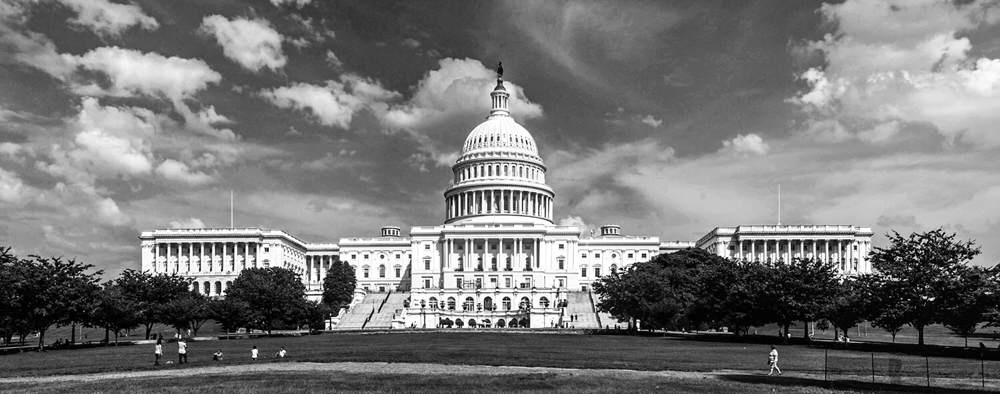
Submitted by Lynne Ayers — Beyond the Brush Photography
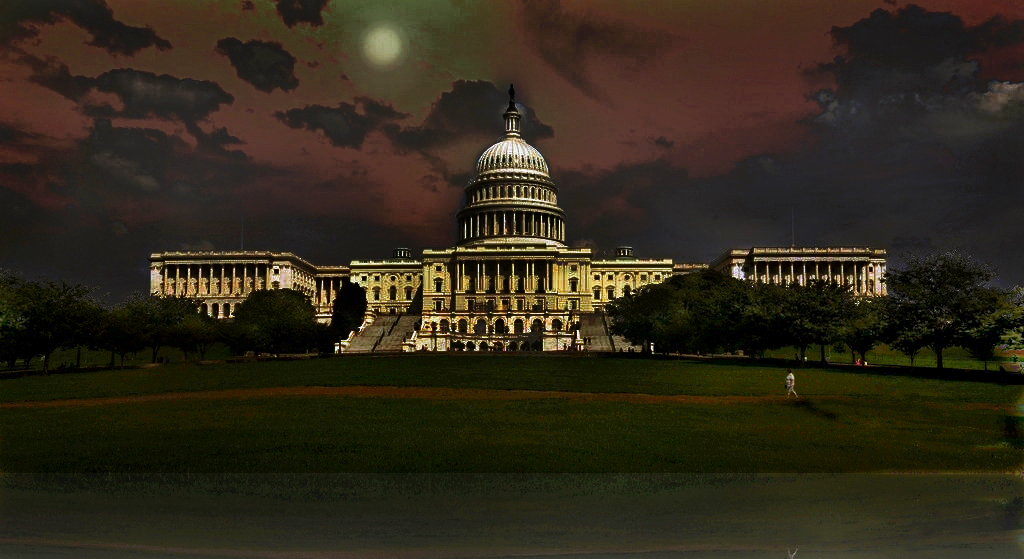
Submitted by Ritva Sillanmäki — Ritva’s Art Photography
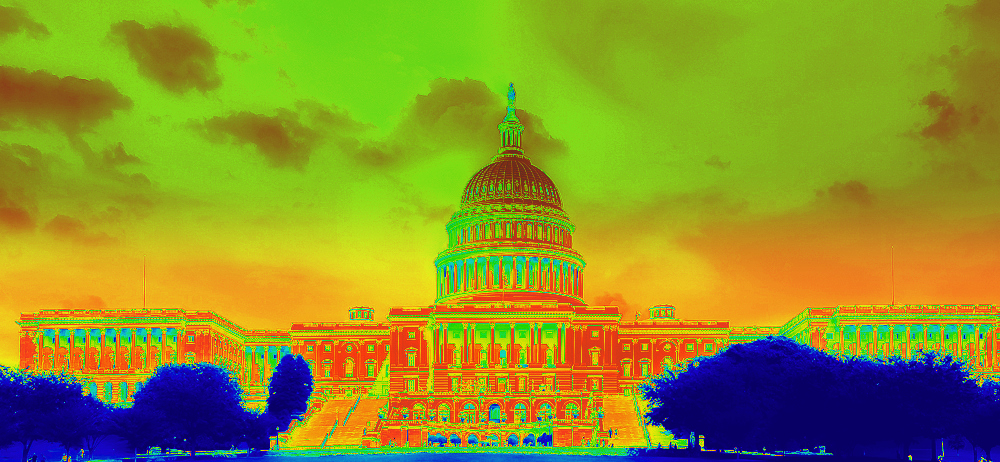


Please click on the links of those who contributed this week, to read about their post-processing steps and/or to see what other treasures they have on their blogs. They’d love to have you visit!
So what do you think of the ABFriday forum?
Feel free to leave your thoughts and suggestions in the comment section. And don’t forget to view the guidelines if you want to participate. I’d love to have you onboard!
 Visual Venturing
I see what you mean about Me, Ben and Laura………..too much TV as kids???? Everyone did a great job, can’t wait for next month.
LikeLike
LOL! But as a big disaster movie fan, I love it 🙂
LikeLike
Using my iPhone hotspot for just a moment to let everyone know that my internet is still down. Darn!! We have to run new cable for internet and hopefully will be back up in a day or so. I look forward to seeing all the variations on Robin’s image but will have to wait.
LikeLike
Thank goodness for iPhone hotspots! That has saved my backside on many occasions and will on my upcoming travels these next few weeks! Good luck and fingers crossed that it’s up and running in short order, Karen!
LikeLike
¿Qué vaina es esta?! (kind of WTF?) Just Americans!
Stacy, this series can easily be another “Sociology class”!
LikeLike
Brilliant, Jaime 😀 And I remember you saying that about one of my early images (if that’s what you meant by “another”! 😉)
LikeLike
That’s it!
LikeLike
👍🏻
LikeLike
It never fails to amaze me how a group of people all presented with the same image can come up with so many creative and individual ways to be artistic with it. And have fun as well by the looks of some of these images too 🙂
Being a furriner, I forgot about the timing of this post with the whole 4th July thing, which made my image even more relevant which was entirely coincidental LOL
Proud to be included in such an awesome lineup, I will be visiting individual pages and commenting later in the weekend, love your work peeps!
LikeLiked by 1 person
Hey furriner, that’s one heckuva coincidence 😀
LikeLike
It’s true, our end of financial year is 30th June, so that’s a big deal at work. Therefore July is a time to relax and recoup before starting all over again. A lot of people go on holiday as it’s usually school hols and quiet. Oh and it’s winter here too so skiing for those who partake.
That’s what July means here 🗻🎿⛄️🇳🇿
LikeLike
Skiing in July. Such a strange concept to grasp 😉
LikeLike
😜 plus BBQ and swimming in Dec and Jan here too!
LikeLike
Nope, I need my white Christmas 😀
LikeLike
Wow now, this series seriously impressed me ! I found myself smiling all the way through … and it rounded into a massive smile at the dinosaurs !
LikeLike
As Laura says, “RAWR” 😀 So glad you enjoyed it all, SC. So much creativity unleashed!!
LikeLike
Woo-hoo! You did it, Stacy. There’s about a hundred submissions here. I remember the old days when there were only about six and I could comment on all of them. Not that I did, just that I could! And what a novel idea to superimpose the flag and fireworks over the capitol building. I know I never thought of that! Excellent job. Just one thing. You never want to lead from a place of weakness so never disclose that you can’t remember what you did. Just tell everyone it’s a contest and the first person who can explain what was done will win a dinner for two at some fancy restaurant. And then when they get the answer, congratulate them but say that so-and-so got the answer before them and there can only be one winner! Got it?
LikeLike
Brilliant, Emilio, but you should have sent that idea to me privately – now everyone knows if I ever post a contest like this that it’s a sham to cover up my lack of know-how 😉 LOL!
LikeLike
Wow Stacy – great interpretation and composite. Very clever! I learnt a lot with your video too. What a fantastic collection and level of participation! People are so creative!
LikeLike
Well, so glad you learned something, Chris 🙂 I’m certain there’s a better way to do what I did, but beginner baby steps. I’m hoping to find out the answer to my “what the heck did I do” question 😀
LikeLiked by 1 person
I had to laugh Stacy “so much for learning something knew.” How many times have I played, and played and played and then realized I don’t know how I got here from there. 😀
LikeLike
Love what you did and a great variety again this month. Thanks for pulling it together, Stacy
LikeLike
Thanks, Lynne, and my pleasure! Thanks for being a part of it 🙂
LikeLike
Hahaha! So glad it’s just not me, Lynne 😀
LikeLike
What a great selection of fun edits Stacy. I love your fireworks and flag, really colourful and effective. Enjoy your July 4th celebrations tomorrow. 🙂
LikeLike
Thanks, Katie 😀 You too! 🇺🇸
LikeLiked by 1 person
Wonderful fireworks Stacy – love how 27 of us saw this image so differently – thank you for a great challenge! 😉
LikeLike
I know, Joanne! I LOVE seeing all the different visions 😀 And you’re so very welcome! But it wouldn’t be anything without all of you participating, so thanks for joining in!
LikeLiked by 1 person
I have never seen so much diversity in the edits. This seemed like it was fun for all. I liked your edits. So very patriotic.
LikeLike
Suitable for the day, right, Cee? 😀 Yup, I definitely think everyone had fun!
LikeLike
Stacy, LOVE this post and all the different interpretations everyone sent in!!! I’m still so intimidated by PS that I am still using PS Elements 6 BEFORE I use LR. I am going to keep coming here, learn as I do, listen to your videos, and jump in with both feet into PS, holding my nose as I go so I don’t swallow water. LOL I have NO idea how what was done on most of these. Thank you for willing to take the time to teach people like me. And some day I hope to be a part of your challenges. Right now time is just not willing to let me “play”. Again, thank YOU for all the help you extend!!! ❤
LikeLike
AmyRose, thanks so much for your lovely comment! As you saw in my video, I’m still very much a baby when it comes to PS 🙂 I’ve been wanting to learn it forever and today I finally signed up for an online course to actually make it a reality (I hope!). But it’s taken me a few years to make that jump. So hang in. The videos and everyone’s posts and links will always be here to revisit. I look forward to you jumping in when you have the time, but in the meantime, I really do appreciate you stopping by, looking, and leaving your comments 😀
LikeLiked by 1 person
Now, Stacy, you made me feel a whole lot better! Thank you! Here I felt like a chicken for having the shakes (severe) upon just opening PS. It’s daunting! The program is so huge! And, yesterday in getting help from Adobe because my downloads would not go through in my Creative Cloud, the representive who was helping me downloaded PS CC ’15. I had PS CC ’14 and THAT was daunting, and now ’15? OH wow! When will Adobe STOP adding on? We can’t seem to run fast enough to stay caught up!
I SO appreciate your efforts in what you are doing here. The representive came me a site …. tvadobe.com where there are many videos that are supposed to help you with PS CC. I have yet to peruse, but I thought you may be interested. 🙂
LikeLike
AmyRose, that site is awesome. I oftentimes watch videos about Lightroom by Julie Kost. She is an Adobe LR/PS guru with a very laid back style. Look into her when you have a chance. And as for your upgrade, I know – just makes the learning curve bigger 😀 So here’s to us newbies!
LikeLiked by 1 person
Cheers!!! I’m writing Julie Kost down on my poetry paper so I won’t forget. Thank you, Stacy!!! ❤
LikeLike
😀
LikeLiked by 1 person
I checked out that site and am hoping I typed it in wrong. Please go visit and tell me what you get?
LikeLike
tv.adobe.com (smile) That’s the right site.
LikeLike
Oh yowsers!!! Yup, make sure there’s a dot between Adobe and TV, folks, or you’re gonna get an eyeful. 😀
LikeLiked by 1 person
LOL I saw too!!! Oops. What all the difference a dot makes. Sorry about that Stacy. That really was NOT intentional. 🙂
LikeLike
Hahaha. No worries. Maybe I should simply correct your initial post? Then no one will inadvertently go down that path … But the commentary has been funny 😉
LikeLiked by 1 person
Whew!!! I am SO glad others are laughing! Lately I have been putting my foot in my mouth via my hands …. seriously. I’m on a roll. 🙂
LikeLike
Been there, done that, Amy! 🙂
LikeLiked by 1 person
OK, I see my mistake. One period makes a big difference.
LikeLike
Wonder how many people looking for Adobe have ended up on that site??? Pretty smart domain grab. I’m surprised Adobe didn’t grab it for themselves as a referrer.
LikeLike
I tried that link and it still is not coming out right. 😦
See if this works: http://tv.adobe.com/videos/photoshop%2Dcc/
LikeLike
Works for me!
LikeLiked by 1 person
YAY!!!!!
LikeLike
Got it! Thanks.
LikeLiked by 1 person
On second thought, do not check it out. I have to erase it from my history or I’ll be in deep doo doo!
LikeLiked by 1 person
LOL I saw too and said WHAT????????? Oh my!!!! *blushing*
LikeLike
Stacy, I don’t know how to thank you enough. I actually edtied my very first image today in PS CC ’15 with LR5 or is it now 6? BUT!!! I have you to thank because you pushed me out of my comfort nest. Here is the link:
https://herladypinkrose.wordpress.com/2015/07/03/first-image-edited-in-ps-cc-15/
Lovve and huge (((HUGS))) Amy ❤
LikeLike
Oh, Amy, I just saw the post!!! I am so absolutely thrilled and excited for you! And what a lovely image 🙂 You’re definitely inspiring me! Thanks for the thanks, but the credit is yours 👍🏻 Hugs right back to you!!
LikeLiked by 1 person
This image is not one of my better images, but I wanted to see what I could really do with a so-so image. I was pleased by the little I learned. Now I have a taste of more, and am willing to learn as I go. Your description of how you edited is usually what I do, and I am left asking “OK, what did I do?” LOL Thanks again so much, Stacy, for the nudge!! ❤
LikeLike
😊
LikeLiked by 1 person
Hi Amy – there are TONS of free resources on learning LR online, lots of websites blogs and forums to ask questions and get help. Personally I find learning from books and trying out things works for me and the Scott Kelby books make it really easy and simple – there isnt a lot of difference for the standard stuff from LR5 to LR6 from a beginner POV so if you find a reference to LR5 it would be OK to use too
I haven’t watched it but this is a link to the first video in a series of them this guy has on youtube, for free!
Its 17 minutes long and in the panel off to the right you can scroll through and see he has HEAPS more – might be worth checking out cos LR is so much better than Elements.
Are you shooting in RAW – cos if not then thats the first thing you should start doing as LR will work best when you use a RAW file format 🙂
I know what you mean about time, I just got some back and its a lovely feeling. Good luck and happy playing
LikeLiked by 1 person
I have Scott Kelby’s books as well and I have officially begun today to change my ways. I edited my first image in PS CC ’15 today. And yes I edit in LR using RAW format. Thank YOU for all the information you gave here. I will most definitely bookmark the YouTube site. ❤
LikeLiked by 1 person
Yay sounds like you have all the tools you need except enough time like the rest of us 😛 good luck and remember it’s sposed to be fun!
LikeLiked by 1 person
Fun? I am turned into a kid again when I have my camera in my hand, and then the possibiities that lay before me in the editing room keep my interest and my imagination rolling … LOL I’m keeping my fingers crossed when I do get more time, I sitll have my body and mind intact. Hehehehehe I’m running a race with the aging process ….. 😉
LikeLike
Oh FYI I do all my image editing in LR, I only use PS for the fancy stuff, LR is easier for me to get my head around rather than ACR
LikeLiked by 1 person
I’m just the opposite. I use PS for my basic editing needs, then go to LR. I agree LR is a lot easier to wrap a head around. Now that I am intending to use PS more indepth it will be interesting to see what I can do. I also have apps on my iPad (I do my primary editing on my windows laptop) to fine tune some of my images even more. Sometimes I am in 5-6 different editing rooms for one image. My eye “knows” it when I “see” it regarding the YEP that image is perfect the way I want it to be. GRIN! LOVE what I do!!! 🙂
LikeLike
Amazing edit, very imaginative. I miss you all!
LikeLike
Seems a lot of imaginations ran wild this month, Loré 😀 We miss you too!!! Come back, come back, to heck with work 😉
LikeLiked by 2 people
Oh, Stacy…I am done! Finished! Free at last! And I am back. 😀
LikeLike
🎉🎊🍻👍🏻🍷❤️ Yes, yes, yes, Loré!!!!!
LikeLiked by 1 person
I really like Robin’s image, so I decided to play with it and have my own OPF this Friday. 🙂
LikeLike
Hahaha! Great idea 😀
LikeLiked by 1 person
amazing.. one image combined with various creative energies…and not one of them the same. very interesting project.
LikeLike
Hi, Brenda! That’s what’s so much fun about the One Photo Focus concept – to see everyone’s creativity unleashed on the same photo. And then to have the chance to learn how each created their vision is icing on the cake, so to speak. Thanks so much for stopping by AND for commenting!
LikeLike
Wow, Stacy! Great job on your interpretation and I love all the others as well. A wonderful group of submissions and an amazing variety of ideas. Your video worked fine for me so no problems with the WordPress upgrade from my perspective (although I didn’t try to go full screen).
LikeLike
It’s always so much fun to open up everyone’s emails to find what’s inside! As I commented to Marsha, I wonder if Laura’s, Ben’s, and Julz’s “attack” interpretations are political commentary 😉 I’m delighted with how many participated and enjoyed working on your great image! And thanks for the feedback on the video. I decided not to post it to my YouTube channel since it is “incomplete”; a timely email from WordPress about VideoPress was a lifesaver…
LikeLike
wow- this sure brought out a lot of edits! Amazing the number that had the White House being attacked! My edit is so dull in comparison to all these super-creative ones!!
Great job with the fireworks with your edit Stacy!
LikeLike
Thanks, Marsha! Wonder if the attack theme is a political statement on DC 😉 And yours is not boring at all – there are the realistic interpretations and the not-so-realistic ones 🙂 I typically stick with a realistic version, but I’ve learned over the 54 weeks that sometimes it’s just plain old fun to think outside the box!
LikeLiked by 1 person
The flag and firework background is awesome! Love this transformation result, Stacy! Thank you for the video, I will learn PS someday… 🙂
LikeLike
Thanks, Amy! Someday I’ll learn it too 😉
LikeLiked by 1 person
Amazing! I LOVE the 4th of July take on the image Stacy! Good thinking and I love how it came out. I’m going to all the blogs now and leave comments. This challenge is SOO fun! I love seeing what everybody has done.
LikeLike
Thanks, Laura 😀 Now, if only I could figure out how I did what I did 😉 I’m off to visit everyone’s too – so much fun!
LikeLiked by 1 person
hahaha don’t you just hate it when that happens?? Sometimes I’ll go back to the photoshop file and I’ve forgotten to label the layers. That drives me bonkers.
LikeLike
Labeling layers? I remember being told to do that in a PS session I took many moons ago. That, and all the info on layers, no longer occupies any space in my memory 😉 So thanks for the reminder. Useful when I do start again!
LikeLike
you’re welcome! 😛
LikeLike
Wow 27?! That’s awesome. I love yours Stacy, that flag is so vibrant. What a great selection! How about Laura’s dinosaurs?! Love it.
LikeLike
LOL! I know – when I opened up Laura’s email I just laughed and laughed 😀 I never would have thought of that despite having just seen Jurassic Park too 😉 Thanks for your kind words about my composite!
LikeLiked by 1 person
Heheh no worries. I went back and had another look through them and I really love the flag ones.
LikeLike
Well they’re definitely patriotic and appropriate for this week 🙂
LikeLiked by 1 person
I love your edit Stacy! I could totally see this as a 4th of July poster or banner. Great job! And WOW on all the submissions. What a wonderful variety. I don’t think I could ever have imagined some of these edits, let alone figure out how to do them!
LikeLike
Thanks, Michelle 🙂 The creativity everyone brings ’round each time always amazes me!
LikeLiked by 1 person
It is one of the things that drew me to the group. I love the variety of thoughts here.
LikeLike
And here I thought it was my charm and witty repartee 😉
LikeLiked by 1 person
Well now Stacy, THAT is just a given! And I was trying to not sound like a teachers pet:)
LikeLike
LOL, Michelle 😂👍🏻
LikeLiked by 1 person
These are incredible.
LikeLike
Thanks so much, Joseph, and thanks for stopping by to take a look!
LikeLiked by 1 person